

How to Optimize a Google Business Profile in 2026 (Step-by-Step)
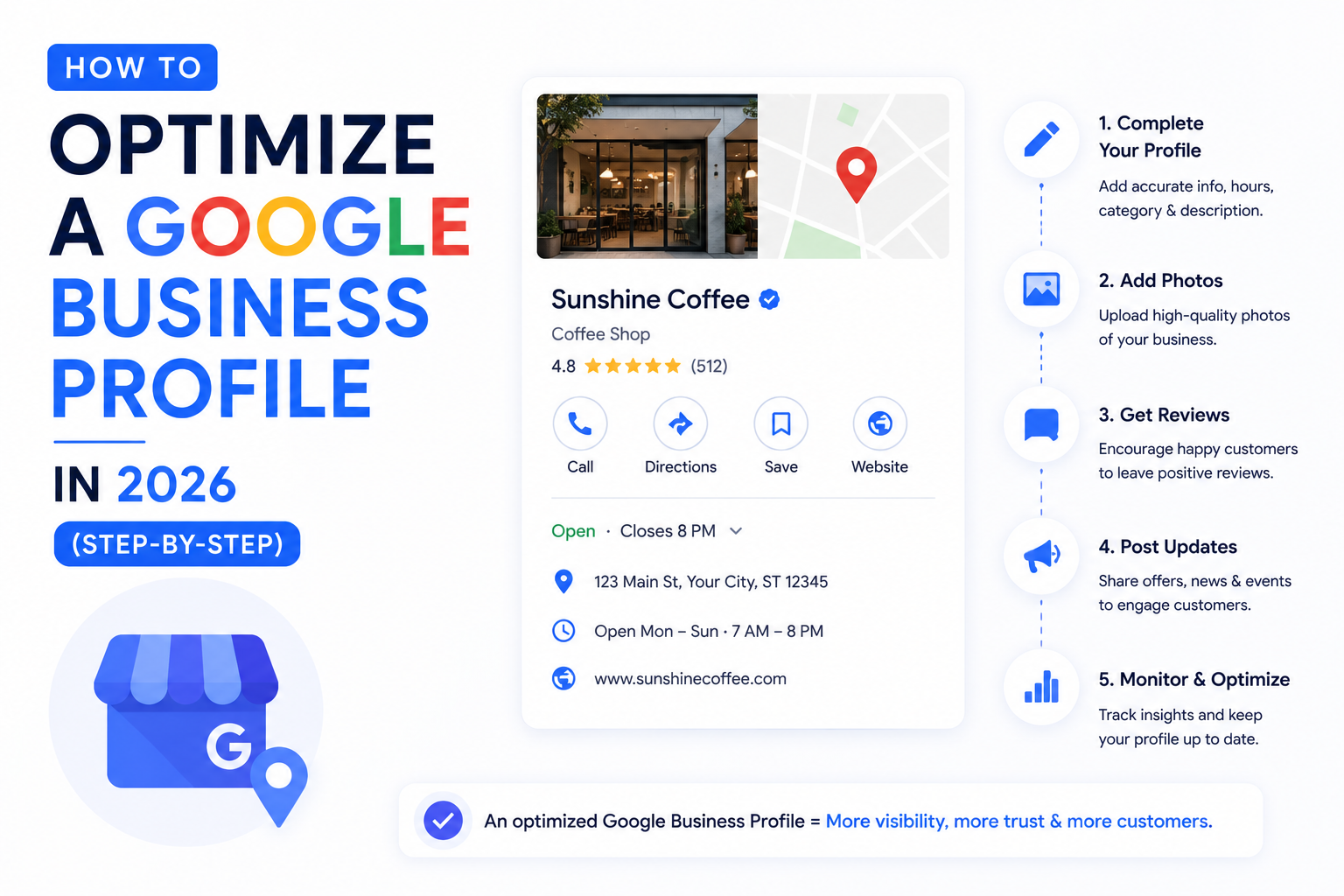
Optimizing a Google Business Profile (GBP) in 2026 means going beyond the basics — claim and verification — and treating your profile as a structured entity that feeds Google Maps, the local pack, AI Overview, and the local answers shown by ChatGPT and Perplexity. The 10 steps that move the needle: claim and verify, lock NAP consistency, choose the right primary category, write an entity-aligned description, upload photos systematically, list services and products, post weekly, manage reviews actively, answer Q&A, and use every relevant attribute. Done well, this single asset drives more local revenue than any other free marketing channel.
For local businesses, one digital asset matters more than any other. Not your website. Not your Instagram. Not your Google Ads.
Your Google Business Profile.
A fully optimized GBP can drive thousands of monthly views, direction requests, calls, and bookings without spending a rupee on ads. A poorly optimized one quietly bleeds business to whichever competitor took the time to fill out their profile properly.
The frustrating reality: most local businesses are running their GBP at maybe 30% of its potential. They claimed it, added a phone number and address, uploaded one logo photo, and walked away. Meanwhile, the dentist down the street who filled in every field, posts weekly, and responds to every review is quietly winning every “near me” search in the area.
This guide walks through exactly how to fix that — with every step updated for how GBP actually works in 2026, including its new role inside AI Overview and the local answers shown by ChatGPT and Perplexity.
Why GBP Optimization Matters More in 2026
GBP used to be a Google Maps play. Now it’s the foundation of every local search surface that matters.
Google AI Overview for local queries. AI Overview increasingly appears for searches like “best dentist near me” or “pet groomer in [neighborhood].” When it does, it pulls from GBP profiles — name, category, reviews, hours, photos — alongside web pages. A weak GBP means a weak AI Overview presence.
The local 3-pack. The three businesses shown above the regular search results for local queries are selected almost entirely from GBP signals. Ranking here can drive more traffic than ranking #1 organically.
Voice and conversational search. “Hey Google, find me a [service] open now” pulls directly from GBP data. So do voice queries through Siri (via Apple Business Connect’s connection to Apple Maps) and increasingly through ChatGPT and Perplexity for local intent.
Entity reinforcement. Your GBP is part of your brand entity. The category, description, and sameAs-equivalent links between your GBP and your website strengthen how AI engines understand your business across the open web.
In short: GBP is no longer a “set it and forget it” listing. It’s a continuously-optimized asset that sits at the intersection of local SEO, AI search, and brand entity.
The 10-Step GBP Optimization Checklist
Execute these in order. Each step compounds on the previous one.
Step 1: Claim and Verify
If your profile isn’t claimed and verified, nothing else matters. Verification methods now include postcard, phone, email, video, and instant verification for some business types.
Common mistake: Multiple unclaimed duplicate listings for the same business. Search for your business name in Google Maps before doing anything else. If duplicates exist, claim them and report duplicates through Google’s tool.
Step 2: Lock NAP Consistency
NAP = Name, Address, Phone. These three pieces of information must be identical everywhere they appear — your GBP, your website footer, your social profiles, every citation across the web.
Common mistake: “Apt 4B” on the website but “Apartment 4B” on GBP. Google treats these as different addresses. Lock the exact format and replicate it everywhere.
For service-area businesses (plumbers, locksmiths, mobile services), don’t list a physical address you don’t actually operate from. Define your service area instead.
Step 3: Choose the Right Primary Category
This is the single highest-leverage decision in your GBP setup. Your primary category is the strongest ranking signal Google has for “what your business is.”
A “Dental Clinic” outranks a “Health Center” for “dentist near me,” even if both businesses are dentists. Be specific.
Then add secondary categories for every additional service you provide. A dental clinic might add Cosmetic Dentist, Pediatric Dentist, and Dental Implants Periodontist.
Common mistake: Choosing a vague parent category (“Local Business”) when a specific child category exists. Use Google’s category list and pick the most specific match.
Step 4: Write an Entity-Aligned Business Description
The description field is 750 characters. Use them.
What to include:
- Your one-sentence brand description (the same one you use on LinkedIn, your website, and every other profile — this is entity SEO at work)
- Your primary services
- Your service area
- A clear differentiator (years in business, specialization, certifications)
What to avoid:
- Promotional language (“Best in town!” — Google ignores this)
- URLs (not allowed)
- Phone numbers (already in another field)
- Repetitive keyword stuffing
The description doesn’t directly influence ranking, but it shapes how AI engines describe your business when they synthesize an answer about local options.
Step 5: Upload Photos and Videos Systematically
Profiles with 100+ photos consistently outperform profiles with under 10. But it’s not just volume — diversity matters.
Categories to cover:
- Exterior shots (different angles, day and evening)
- Interior shots (every important space)
- Team photos (real staff, not stock images)
- Service-in-progress photos
- Product photos (if applicable)
- Before/after photos (for services where this applies)
- Logo and cover photo (high resolution)
Upload at least 5–10 new photos per month going forward. Google rewards profiles that stay active.
Common mistake: Uploading once and never again. Stale photo profiles get deprioritized.
Step 6: List Services and Products
GBP’s Services section lets you add every individual service with a name, description, and price (optional). The Products section does the same for product-based businesses.
Each entry is searchable. A service called “Root Canal Treatment” with a detailed description is its own micro-ranking opportunity for “root canal near me.”
Common mistake: Listing 3 services when you offer 30. Granularity wins.
Step 7: Post Weekly (Yes, Weekly)
GBP Posts appear inside your profile and signal activity to Google’s ranking algorithm. They also occasionally show up in AI Overview’s local sections.
Post types to rotate through:
- Offers (with start/end dates)
- Events (especially seasonal)
- Product or service updates
- News and announcements
- Behind-the-scenes content
Posts expire after 7 days for most types, so weekly is the cadence that keeps your profile continuously fresh.
Common mistake: Posting once and disappearing for six months. Inconsistency is worse than infrequency.
Step 8: Build a Real Reviews Strategy
Reviews are now arguably the single biggest local ranking factor — and they feed directly into AI Overview’s local sections.
Four review dimensions matter:
- Quantity — more reviews than competitors, sustained over time
- Recency — reviews in the last 30 days carry more weight than year-old ones
- Response rate — replying to reviews (especially negative ones) is now a confirmed ranking signal
- Content — reviews that mention your services or location strengthen relevance
How to build the flow:
- Create a short link to your GBP review form (Google provides this in the dashboard)
- Send it to every satisfied customer within 24 hours of service
- Respond to every review within 48 hours — yes, even the bad ones
- Never incentivize reviews (Google penalizes this aggressively)
Common mistake: Ignoring negative reviews or responding defensively. A calm, professional response to a 1-star review often wins more new customers than the negative review costs you.
Step 9: Manage the Q&A Section
The Q&A section is community-driven — anyone can post a question, and anyone can answer. Most businesses don’t realize this section exists, let alone monitor it.
Three moves:
- Seed it yourself. Add the 5–10 questions customers ask most often, and answer them from your business account.
- Monitor weekly. Respond to new questions within 48 hours.
- Correct misinformation fast. Community-answered questions can drift toward inaccuracy. Your official answer carries more weight when it’s first.
This section often shows up directly in search results — a strong Q&A section is essentially extra SEO real estate.
Step 10: Use Every Relevant Attribute
GBP offers dozens of attributes — wheelchair accessible, free Wi-Fi, outdoor seating, accepts crypto, women-owned, LGBTQ+ friendly, online appointments, in-store pickup.
Every attribute that genuinely applies should be enabled. Many attributes appear as visual badges or filters in local search, increasing click-through. Some serve as ranking signals for specific user filters.
How GBP Connects to AI Overview and AI Search
This is the layer most local SEO guides still miss.
Your GBP doesn’t operate in isolation. It connects to AI search in three specific ways:
1. LocalBusiness schema on your website should match GBP. If your website’s LocalBusiness schema says “Dental Clinic” and your GBP primary category says “Cosmetic Dentist,” you’ve split your entity in two. AI engines get confused. Align them.
2. Reviews feed AI answers. When AI Overview describes “the best [service] in [location],” it weighs review sentiment, recency, and volume — pulled from GBP and from third-party review sites. A strong GBP review profile measurably improves how AI engines describe your business.
3. GBP is part of your sameAs graph. Your GBP URL should be in the sameAs block of your website’s Organization schema. This connects your website entity to your Maps entity, making it easier for AI engines to confidently treat them as the same business.
Common GBP Mistakes That Quietly Cost You Rankings
- Wrong primary category chosen by gut instead of research.
- Stuffing keywords into the business name (“ABC Dental Clinic – Best Dentist in [City]”). This violates Google’s guidelines and risks suspension.
- Inconsistent NAP between your GBP and website footer.
- Multiple unverified or duplicate listings across the same address.
- No review responses. A 4.8-star profile with no responses signals neglect.
- Ignoring Q&A. Misinformation goes unchallenged for months.
- Treating GBP as static. No new photos, no posts, no updates for a year. Google’s ranking signals heavily weight freshness.
Beyond Google: Bing Places and Apple Business Connect
Google still dominates local search — but in 2026, two other listings matter more than most agencies acknowledge.
Bing Places for Business feeds Microsoft Copilot, which is increasingly used as a search interface. Bing Places lets you import directly from Google, so the setup cost is minutes, not hours.
Apple Business Connect drives Apple Maps, Siri, and Spotlight — and powers location data for iPhone-based AI assistants. With 60% of Indian smartphone users on Android and 40% on iPhone in tier-1 cities, Apple Maps presence is no longer optional for premium-segment businesses.
Both should mirror your Google Business Profile exactly. Consistency across all three reinforces your entity signal across every major AI search system simultaneously.
Frequently Asked Questions
Most well-optimized profiles begin moving in local search within 2–6 weeks. The local 3-pack ranking depends on competition density — in low-competition niches, a strong profile can rank within a month. In dense metros, 3–6 months of sustained optimization and review-building is typical.
Primary category selection is the single most important on-profile decision. Beyond that, review quantity, recency, and response rate combine to form the strongest sustained ranking signal.
Indirectly, yes. Posts signal that your profile is actively managed, which Google weights in freshness scoring. They also occasionally appear in search results and AI Overview’s local sections, driving additional visibility.
Weekly is the optimal cadence. Most post types expire after 7 days, so weekly posting keeps your profile continuously fresh. Skipping months at a time signals neglect to Google’s ranking systems.
Yes. Google actively suspends profiles with keyword-stuffed names, and reinstating a suspended profile is a slow, painful process. Use your real business name only.
Respond within 48 hours, professionally, without defensiveness. Acknowledge the issue, apologize where appropriate, offer to resolve it offline. Future customers reading your responses care more about how you handle criticism than whether you avoid it.
Yes, for local queries. AI Overview pulls business information, categories, hours, and review signals from GBP when generating local answers. A weak GBP results in a weak AI Overview presence for “near me” and location-specific searches.
Ready to Turn Your GBP Into a Lead Engine?
Most local businesses have a Google Business Profile. Almost none have an optimized one — and the gap between “claimed” and “optimized” is worth thousands of leads a year.
SEO Mind Tech specializes in local SEO and Google Business Profile optimization. From profile audits and category strategy to reviews systems and AI Overview alignment, we build GBP into the lead-generating asset it’s supposed to be.
👉 Book a free Local SEO Audit — we’ll show you exactly where your GBP is leaking visibility, who’s outranking you in the local pack, and what to fix first.
Get My Free Local SEO Audit →