

Core Web Vitals: A Plain-English Guide for Business Owners
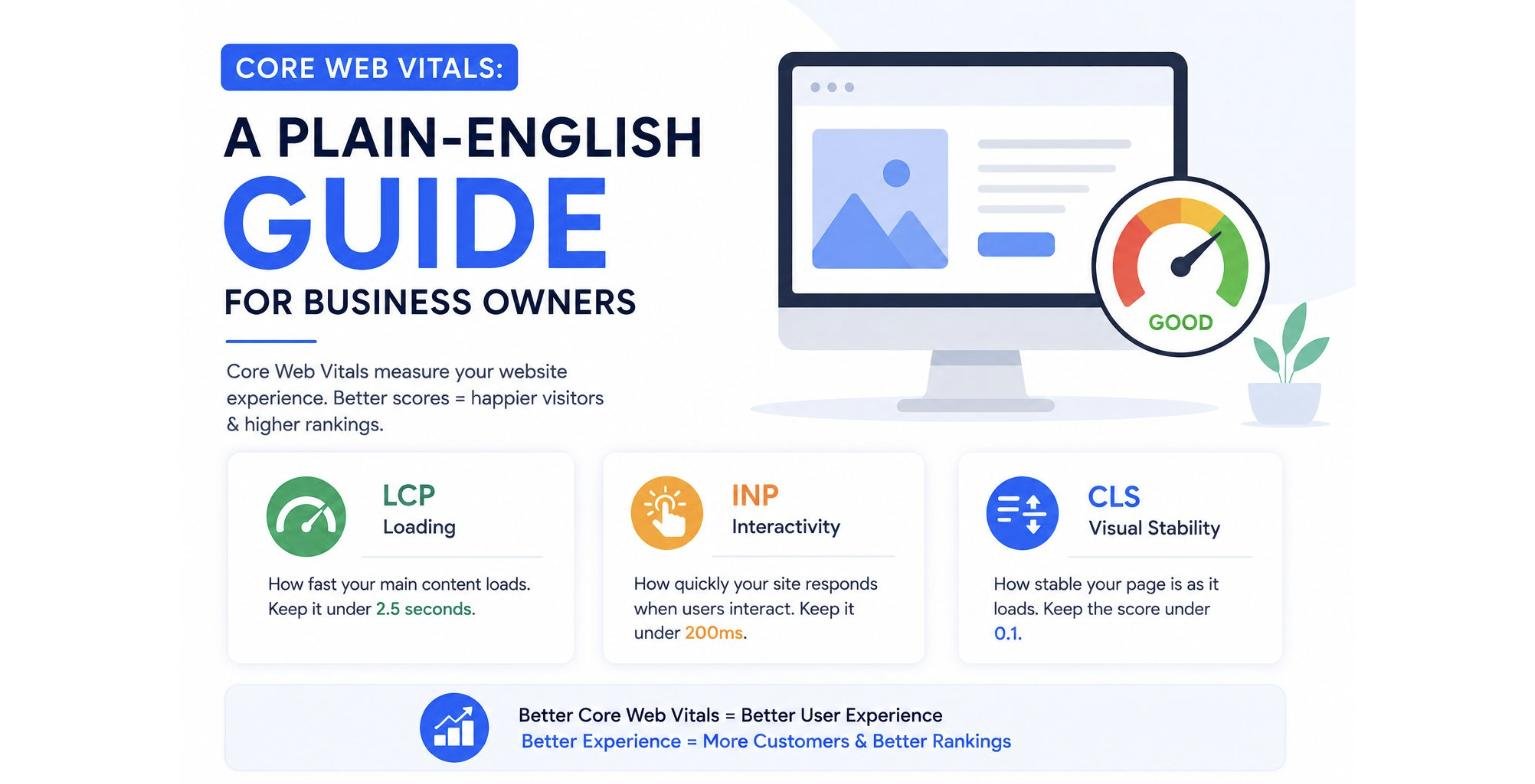
Core Web Vitals are Google’s way of measuring how fast, stable, and user-friendly your website is. They focus on three key areas: how quickly your main content loads, how fast your website responds to user interactions, and how stable the page remains while loading. Improving these metrics creates a better experience for visitors and supports stronger search engine rankings.
What Are Core Web Vitals?
Imagine walking into a store where the lights take several seconds to turn on, the shelves keep moving around, and every time you ask for help, the staff takes forever to respond.
You’d probably leave.
The same thing happens online.
If your website is slow, confusing, or difficult to use, visitors are likely to leave before they become customers.
That’s why Google introduced Core Web Vitals—a set of performance metrics designed to measure the real experience users have when visiting your website.
For business owners, improving these metrics isn’t just about pleasing Google. It’s about creating a website that keeps visitors engaged and encourages them to take action.
Why Core Web Vitals Matter
A fast and responsive website offers several benefits:
- Better user experience
- Lower bounce rates
- Higher customer satisfaction
- Improved conversion rates
- Stronger search visibility
- Increased trust in your brand
Even if you have excellent products or services, a poor website experience can cost you valuable leads and sales.
The Three Core Web Vitals Explained
1. Largest Contentful Paint (LCP)
What it measures
LCP measures how quickly the largest visible part of a webpage loads, such as a banner image or headline.
Why it matters
Visitors expect your page to appear almost immediately. If the main content takes too long to load, many users leave before they even start reading.
Google’s recommendation
Aim for your main content to load within 2.5 seconds.
How to improve it
- Optimize large images
- Use faster web hosting
- Compress files
- Enable browser caching
- Remove unnecessary scripts
2. Interaction to Next Paint (INP)
What it measures
INP measures how quickly your website responds when someone clicks a button, opens a menu, or submits a form.
Why it matters
People expect websites to react instantly. Delays can make your website feel broken or unreliable.
Google’s recommendation
Keep interactions under 200 milliseconds whenever possible.
How to improve it
- Reduce heavy JavaScript
- Optimize plugins
- Simplify page elements
- Improve server response times
3. Cumulative Layout Shift (CLS)
What it measures
CLS tracks how much your page unexpectedly moves while loading.
Have you ever tried clicking a button, only for it to shift at the last second because an image loaded? That’s a layout shift.
Why it matters
Unexpected movement frustrates users and creates a poor browsing experience.
Google’s recommendation
Keep your CLS score below 0.1.
How to improve it
- Reserve space for images
- Define image dimensions
- Avoid inserting content above existing content
- Load fonts correctly
How Core Web Vitals Affect SEO
Google has confirmed that page experience is one of many ranking signals.
While great content remains the most important factor, websites with better performance often have an advantage because they provide a smoother experience for visitors.
Improving Core Web Vitals can also lead to:
- Longer visit durations
- More pages viewed per session
- Higher engagement
- Better lead generation
- Improved customer satisfaction
Think of Core Web Vitals as supporting your SEO rather than replacing it.
Common Reasons Websites Fail Core Web Vitals
Many business websites struggle because of:
- Oversized images
- Too many plugins
- Slow hosting
- Excessive JavaScript
- Large video files
- Unnecessary animations
Fortunately, most of these issues can be fixed with proper website optimization.
Simple Ways Business Owners Can Improve Website Performance
Even if you’re not a developer, you can take practical steps to improve your website.
Optimize Images
Resize and compress images before uploading them. Modern formats like WebP can significantly reduce file sizes.
Choose Reliable Hosting
A slow server affects every page on your website. Investing in quality hosting improves loading speed across your site.
Remove Unused Plugins
Every unnecessary plugin adds extra code that may slow your website.
Keep Your Website Updated
Regular updates improve performance, security, and compatibility.
Minimize Heavy Animations
Visual effects can look impressive, but too many can slow down your website and frustrate users.
Test Your Website Regularly
Monitor your website’s performance so you can identify problems before they affect visitors.
Tools to Measure Core Web Vitals
Several free tools can help you evaluate your website’s performance:
- Google PageSpeed Insights
- Google Search Console
- Lighthouse
- Chrome DevTools
- GTmetrix
These tools provide actionable recommendations for improving speed and user experience.
Common Myths About Core Web Vitals
Myth 1: Only large websites need to worry about Core Web Vitals.
Reality: Every website benefits from a better user experience, regardless of its size.
Myth 2: Faster websites automatically rank #1.
Reality: Website speed is only one ranking factor. Content quality, relevance, backlinks, and user intent remain critical.
Myth 3: Improving Core Web Vitals requires rebuilding your website.
Reality: Many improvements can be achieved through image optimization, better hosting, code cleanup, and technical adjustments.
Frequently Asked Questions
Are Core Web Vitals important for small businesses?
Yes. Faster websites improve user experience, customer trust, and search visibility for businesses of all sizes.
Can Core Web Vitals improve SEO?
They can contribute to better SEO by enhancing page experience, although content quality and relevance remain the primary ranking factors.
How often should I check Core Web Vitals?
It’s a good idea to monitor them monthly or after making significant website updates.
What is a good Core Web Vitals score?
Google recommends:
- LCP: Under 2.5 seconds
- INP: Under 200 milliseconds
- CLS: Below 0.1
Meeting these benchmarks helps create a positive user experience.
Can I improve Core Web Vitals without changing my website design?
Yes. Many performance improvements happen behind the scenes through technical optimization rather than visual redesign.
Final Thoughts
Core Web Vitals may sound technical, but their purpose is simple: they measure whether your website delivers a fast, responsive, and stable experience for visitors. Business owners don’t need to become developers to understand why these metrics matter.
By focusing on faster loading times, smoother interactions, and stable page layouts, you create a website that people enjoy using. Better user experiences often lead to higher engagement, improved conversions, and stronger long-term SEO performance.
Instead of viewing Core Web Vitals as another technical challenge, think of them as an investment in your customers’ experience.
Improve Your Website Performance with SEO Mind Tech
At SEO Mind Tech, we help businesses build websites that are not only visually appealing but also fast, responsive, and optimized for search engines. Our Technical SEO services include Core Web Vitals optimization, page speed improvements, mobile performance enhancements, and comprehensive website audits.
Whether you’re launching a new website or improving an existing one, our experts can help you deliver a better user experience while strengthening your SEO performance.
Get in touch with SEO Mind Tech today and let us help you build a faster, smarter, and more successful website.