

Quick answer: Your website needs an SEO audit when performance changes cannot be explained confidently—or when you have not checked the technical, content and conversion foundations after major site changes. Warning signs include declining organic traffic, lost visibility, indexing problems, poor Core Web Vitals, weak conversions, outdated content and unexplained competitor gains.
An SEO audit should not be a generic tool export. Its purpose is to diagnose causes, prioritize fixes and connect technical findings to business outcomes.
1. Organic Search Traffic Is Declining
A meaningful drop in organic traffic is one of the clearest reasons to investigate. Compare Search Console clicks and impressions, analytics sessions and conversions across similar periods. Segment by page type, query, device and country before blaming an algorithm update.
Possible causes include lost rankings, changing demand, indexing issues, migrations, content decay, tracking problems or competitors becoming more useful.
2. Important Queries or Pages Lost Visibility
Do not look only at one keyword tracker. Use Search Console to identify which pages and query groups actually lost impressions and clicks. A decline affecting one template may point to a technical issue; a decline concentrated around one topic may indicate a content or competitive gap.
3. Your Website Is Slow or Failing Core Web Vitals
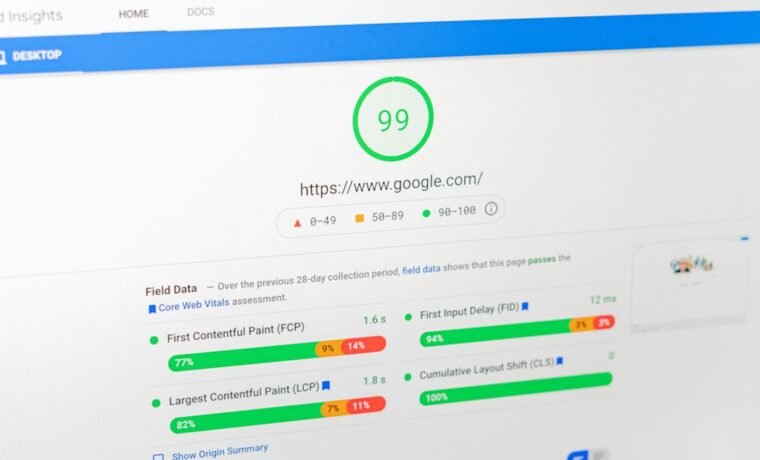
Performance problems can frustrate users and weaken page experience. Check field data for LCP, INP and CLS and investigate the templates responsible. Our Core Web Vitals guide explains the current thresholds and improvement process.
4. Traffic Is Coming In but Leads Are Not
SEO should contribute to useful business outcomes. If sessions grow while forms, calls, bookings or purchases remain flat, audit search intent, landing-page messaging, calls-to-action, mobile usability and conversion tracking.
Sometimes the SEO problem is not “more traffic”—it is attracting the wrong traffic or sending good traffic to a poor experience.
5. Mobile Users Have a Poor Experience
Google uses mobile-first indexing, meaning the mobile version is the primary version used for indexing. That is different from claiming there is a simple “mobile-friendly ranking bonus.” Your audit should still check responsive layouts, tap targets, navigation, rendering and mobile performance because users depend on them.
6. Important Pages Are Not Indexed
If a commercial page or valuable article is missing from Google, investigate rather than repeatedly requesting indexing. Common causes include robots directives, accidental noindex, canonical conflicts, weak internal linking, crawl errors, rendering problems, low-value duplication or redirects.
7. Competitors Keep Winning the Same Search Intent
Competitor analysis should ask why their page is more useful. Compare content depth, search intent match, first-hand evidence, internal linking, reputation, backlinks, page experience and SERP format. Do not simply copy their word count or headings.
8. Technical SEO Errors Are Accumulating
Common audit findings include broken internal links, redirect chains, duplicate or missing canonical tags, orphan pages, sitemap problems, structured-data errors, bad status codes, JavaScript rendering issues and inconsistent internal linking.
Structured data should also be reviewed against current Google support. For example, Google retired FAQ rich results in 2026, so an old audit template that still treats FAQPage markup as a major rich-result opportunity is outdated. See our 2026 schema guide.
9. Your Content Is Outdated, Duplicated or Cannibalizing Itself
Older content is not automatically bad. The problem is content that is no longer accurate, no longer satisfies intent or competes with another page for the same purpose. Audit for overlapping topics, outdated facts, thin pages and internal links pointing to the wrong canonical resource.
10. The Site Changed but SEO Was Never Rechecked
Run a focused audit after major events such as:
- Domain or URL migrations
- Website redesigns
- CMS or theme changes
- Large navigation changes
- HTTPS or hosting migrations
- Major content pruning
- New JavaScript frameworks
- Analytics or consent-platform changes
These are moments when redirects, canonicals, tracking, internal links or rendering can break even if the visual site looks fine.
What a Complete SEO Audit Should Cover
| Area | What to review |
|---|---|
| Technical | Crawlability, indexing, status codes, canonicals, sitemaps, rendering, internal links |
| Content | Intent match, accuracy, duplication, cannibalization, originality, topical gaps |
| On-page | Titles, headings, internal anchors, media, structured data |
| Performance | Core Web Vitals, mobile UX, templates, scripts and hosting |
| Authority | Backlinks, brand mentions, reputation and competitor gap |
| Local | Business Profile, local landing pages, reviews and citations where relevant |
| Measurement | Search Console, analytics, conversions, event tracking and AI referrals |
Add AI-Search Diagnostics in 2026
A modern audit should also look at how important content performs in AI-assisted discovery. That does not require chasing special AI hacks. Review whether pages are indexable, uniquely useful, clearly sourced and connected to a coherent topic cluster. Track AI referrals and Google’s generative-search performance data where available.
For context, read our AI SEO guide and AI SEO vs traditional SEO.
How Often Should You Audit?
There is no universal six-month rule. Large, frequently changing or e-commerce sites may need continuous monitoring and more frequent reviews. A smaller brochure site may need fewer comprehensive audits. Always audit after major changes or unexplained performance shifts.
Frequently Asked Questions
Can an SEO audit improve rankings?
The audit itself does not improve rankings. The value comes from correctly diagnosing and fixing the issues that matter.
How long does an SEO audit take?
It depends on site size, complexity and scope. A focused audit of one problem may be fast; a full enterprise crawl, content review, backlink analysis and analytics investigation can be substantially more involved.
Do small businesses need SEO audits?
Yes, but the audit should match the business. A small local company usually needs a focused review of indexing, service pages, local SEO, conversions and technical health rather than a 200-page generic report.
What is the difference between a technical audit and a full SEO audit?
A technical audit focuses on crawling, indexing, rendering, site architecture and performance. A full audit also evaluates content, intent, authority, local visibility, competitors and conversions.
Stop Guessing What Is Holding the Site Back
A useful SEO audit turns scattered symptoms into a prioritized action plan. SEO Mind Tech reviews technical SEO, content, Core Web Vitals, local visibility, authority and measurement together.
Request a professional SEO audit and identify the highest-impact fixes first.

About the author
Nee
SEO Mind Tech publishes practical guidance on search visibility, AI discovery, performance marketing, content and web growth systems.